
Our school began a 1:1 pilot four years ago (I was the lead teacher for the project), and we went full-blown 1:1 across Grades 7 and 8 in the fall of 2006. In that time our students and teachers have become familiar of at least some of the opportunities and challenges that are inherent in 1:1 computing environments.
Over the past couple of weeks a common issue keeps being brought to me by administration; a seeming lack of understanding of, and respect for, the role technology should play in learning – by both teachers and students. Increasingly we are hearing from teachers who are concerned with students finding their way off task (as if this was solely a computing issue) and utilizing technology in “non-educational” ways.
Like most schools, we have an Acceptable Use Policy (ours is a standard policy that is implemented province-wide with a common form that is signed off on by students and parents). It is quite “legalize” in it’s style, probably written by a well-intentioned bureaucrat in the Department of Education. However, it fails to address the challenges we face on a daily basis.
Our AUP was written several years ago and, in the spirit of web 1.0, fails to look at the growing amount of user generated content – and doesn’t really see students as content producers. From our worldview – as one of the first 1:1 schools in our province – the authors really didn’t envision such technology-rich learning environments, instead addressing issues one would expect in occasional computer lab access. It simply fails to take into account the daily administration of universal classroom computing.
To that end, there have been a number of common practices developed within our school over the past few years of the project. Most teachers are able to manage most student use. However, a growing demand from both students and teachers is leading us to try and develop a common set of “rules” of student computing use within the school. These protocols would address Care and Maintenance, Daily Use and Web 2.0 tools.
I am torn on much of this. As a teacher, I would want as few rules in my classroom as possible. The fewer filters and access issues to learning tools, the better. Other teachers, however, are demanding more and more defined rules. With every student left disengaged and unsupervised who wastes a few minutes on Facebook, I hear the calls again. This while his/her teaching colleague down the hall is actually using Facebook as a tool in their virtual learning space.
Some of this bothers me. Personally, I think educating young people in proper use is far preferable to pinning a bunch of “that shall not…”‘s on them. Some teachers (and students) want to have rules as they provide either a stick (“the rules say…”) or an excuse (“but the rules didn’t say I couldn’t…”). Unfortunately, any set of protocols will never cover all situations or issues. Thus the dilemna.
I had a chance to twittertalk with a student of Clay Burell in Seoul for the last couple of days. His perspectives were interesting. After getting past the immediate reaction that all Middle School students needed lots and lots of rules and that long and complex documents would scare them, he offered some interesting insights into what students will accept in these types of documents. As he said, they need to be guides, not punishing tools.
So, I have started a simple one pager that we can give to students and teachers setting up the expectations / guidelines for computer use in the school. It is meant to be simple, short and light in tread, pointing out what we expect students to do with the technology, as opposed to what they shouldn’t do. Unlike Soojin, some teachers are looking for that stick to oppress or that excuse to point blame. Accepting that misguided and disengaged students will wander off into the cyberland, it’s our job to engage them and guide them along the way.
Check out the ideas I have placed on the page so far. It is based on feedback from teachers (and a bit of editorializing by me). It’s a work in progress. The goal is to have a one or two page document, written in language a middle school student would read and understand, that we could share with students and teachers so everyone is on the same page.
Comments?
tags: technology, education, whipple

 Last nite (after getting home from teaching my undergrad university class) I hopped back on-line and joined her and her Grade 6 students via Skype and SMART Technologies Bridgit conferencing software and we chatted for almost 45 minutes (9:30 pm yesterday here, 12:30 pm today – just coming up on that here now – there).
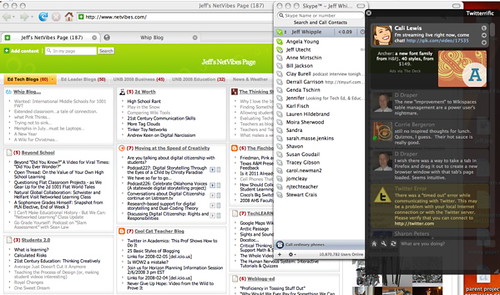 I have found lately that skype and twitter have pushed blogs (including my own) to the background. Like our kids, I like the immediacy of connecting via twitter (kinda like a microblogging with a built in RSS?) and skype (which I am using a lot right now to connect as we plan the 1001 Tales project and manage other student collaborative projects).